
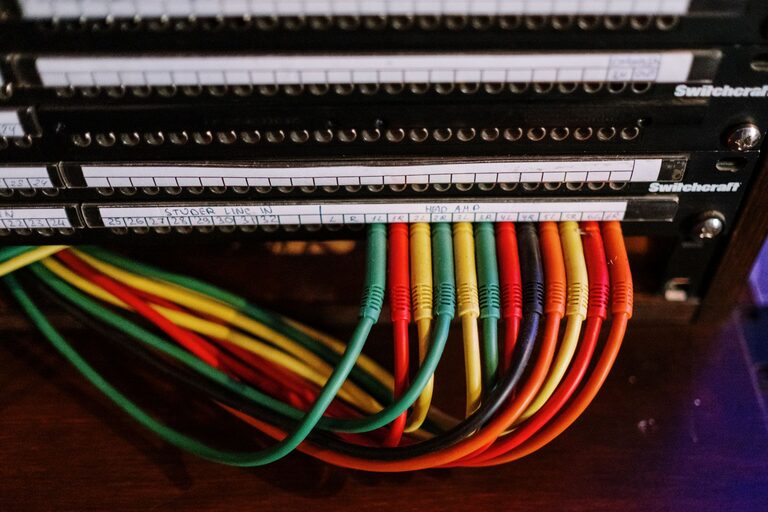
Having a messy pile of cables and chargers can be frustrating and make your workspace or living area look cluttered. Whether it’s phone chargers, laptop cables, or earbuds, keeping them organized is key to maintaining a clean and efficient space. Fortunately, with a few simple strategies and everyday tools, you can neatly organize your cables and chargers without spending a lot of time or money.
In this post, we’ll explore practical methods to sort, store, and manage your cables and chargers so they are easy to find and use whenever you need them.
Why Organize Cables and Chargers?
Before diving into tips, it’s helpful to understand why organizing cables benefits you:
– Reduces clutter: Tangled cables create visual chaos and take up more space.
– Saves time: Finding the right charger or cable quickly becomes easier.
– Prevents damage: Proper storage reduces wear and tear on cables.
– Enhances safety: Avoids tripping hazards and accidental unplugging.
– Improves aesthetics: A neat setup looks more inviting and enjoyable.
Step 1: Gather and Sort Your Cables
Start by collecting all your cables and chargers from around the house. Look in drawers, bags, behind devices, and charging stations.
Sort Cables by Type and Use
– Group cables based on their function: phone chargers, USB cables, HDMI cords, power cords, earphones, etc.
– Separate cables you use frequently from those used rarely or backups.
– Consider labeling each group or individual cable with tags or masking tape for easy identification.
Step 2: Choose the Right Storage Solutions
Selecting the appropriate storage method depends on how many cables you have and where you want to keep them.
Storage Options for Cables and Chargers
– Cable organizers or boxes: These holders have compartments to keep cables untangled.
– Drawer dividers: Use small containers or dividers inside drawers to separate cables.
– Ziplock bags or pouches: Useful for individual cables or smaller groups.
– Cable management sleeves: Can bundle multiple cables together for tidiness.
– Wall-mounted holders or hooks: Great near workstations to keep chargers accessible.
– DIY solutions: Repurpose items like toilet paper rolls, bread clips, or binder clips to keep cables coiled and labeled.
Step 3: Wrap and Secure Each Cable Properly
How you coil cables impacts their longevity and preventing tangles.
Tips for Coiling Cables
– Use the natural curve of the cable to avoid creating kinks.
– Coil cables in a loose loop about the size of your palm.
– Secure the loop with a Velcro strap, twist tie, or reusable cable tie.
– Avoid over-tightening as it can damage the internal wires.
– For earbuds and smaller cables, consider winding them around a small card and securing with a clip.
Step 4: Create a Charging Station
If you often use multiple devices, setting up a dedicated charging station can reduce cable clutter significantly.
How to Set Up a Charging Station
– Choose a convenient location like a desk, countertop, or nightstand.
– Use a multi-port USB charger or power strip to reduce the number of plugs needed.
– Arrange cables neatly with cable clips or holders.
– Label chargers for different devices to avoid confusion.
– Keep the area clear of unnecessary items to maintain organization.
Step 5: Maintain Your Cable Organization
Organizing cables is not a one-time task. Regular upkeep keeps your space tidy.
Maintenance Tips
– Review your cables every few months and discard damaged or unused ones.
– Return cables to their designated storage after use.
– Update labels if you change devices.
– Clean your cable storage area regularly to prevent dust buildup.
Additional Cable Management Tips
– Color code cables: Use colored tape or sleeves to identify cables at a glance.
– Invest in wireless options: Wireless chargers and Bluetooth devices reduce cable dependence.
– Use cable clips on desks: To keep cables from falling behind desks or tangling.
– Label both ends: For longer cables, labeling both ends prevents confusion.
Conclusion
Organizing your cables and chargers doesn’t have to be overwhelming. By sorting, wrapping, properly storing, and regularly maintaining your cables, you can enjoy a clutter-free environment that makes charging and using your devices simple and stress-free. With a bit of effort and the right tools, you’ll never waste time untangling cords again!